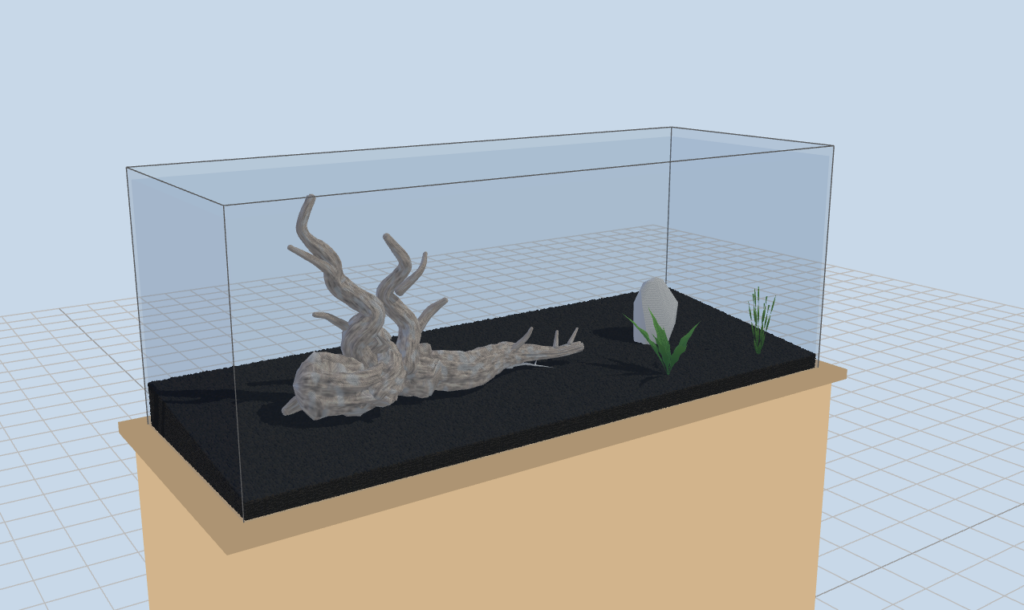
Substrate Gets 3D 窶・Realistic Grain-by-Grain Substrate
June 22, 2026
The aquascape layout simulator AquaDraft has been updated with a completely redesigned substrate display.
Previously, AquaDraft’s substrate was simply color-coded — black soil, brown soil, river gravel, white sand — with no texture detail. That was a deliberate trade-off to get the initial release out, but it couldn’t convey the tactile sense of what the substrate actually looks like.
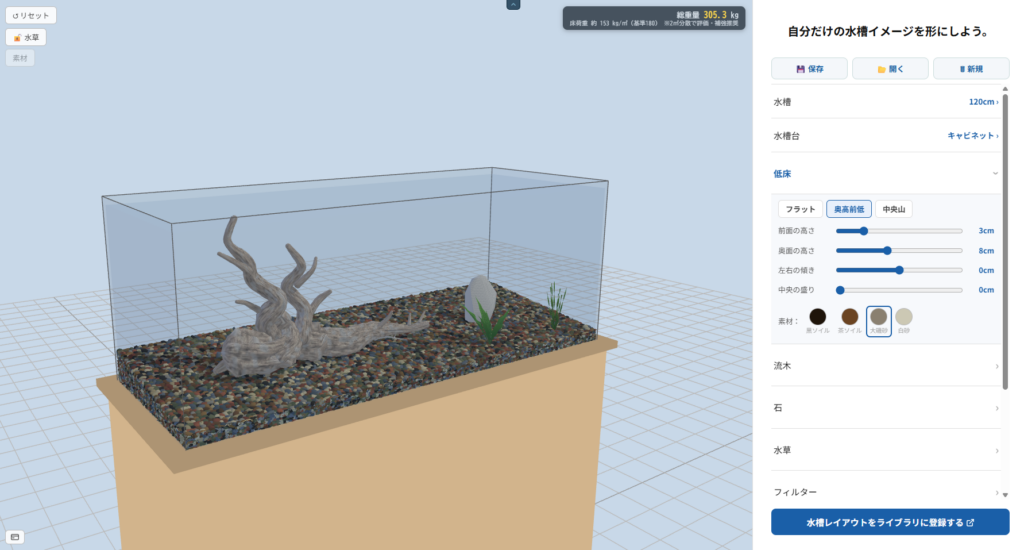
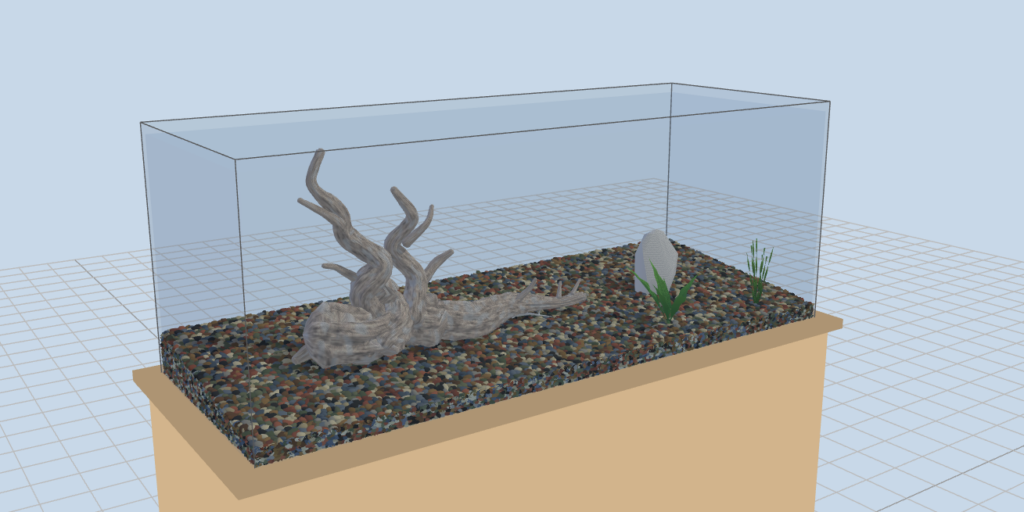
This update rebuilds the substrate as individual 3D grains packed across the entire bed.
What Changed
River gravel (Ohiso sand): Each water-polished pebble is individually modeled, with a natural mix of black, gray, brown, reddish-brown, olive, slate blue, and cream — just like the real thing.
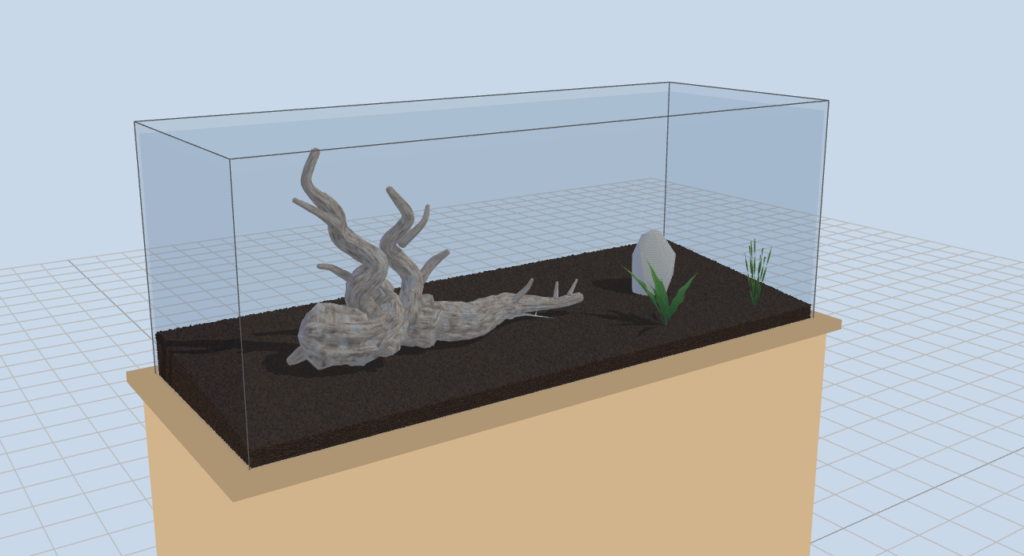
Black soil / Brown soil: Uniform rounded granules in rich dark brown to black, capturing the look of nutrient-rich aqua soil.
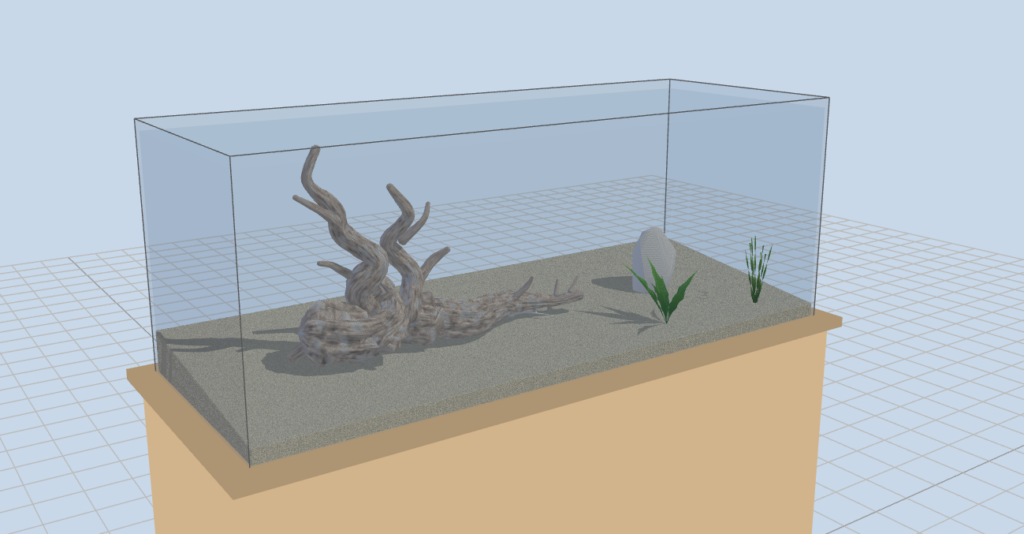
White sand: Fine powder-like particles for a bright, airy feel.
Follows the slope: Change the front/back height or center peak and the grains cover the slope seamlessly.
Realistic cross-section: The substrate cross-section visible through the glass on the side is also rendered with grains — tinted slightly darker, just as it appears through glass.
From the Developer
A layout comes to life when you can really picture the finished scene. Now that substrate has texture and depth, imagining how rocks and driftwood blend with the bed should be much easier. Try swapping substrate types and terrain to find your favorite look.
We’ll continue expanding the material library. Next up: more rock and driftwood variations.